Indent & Quotation
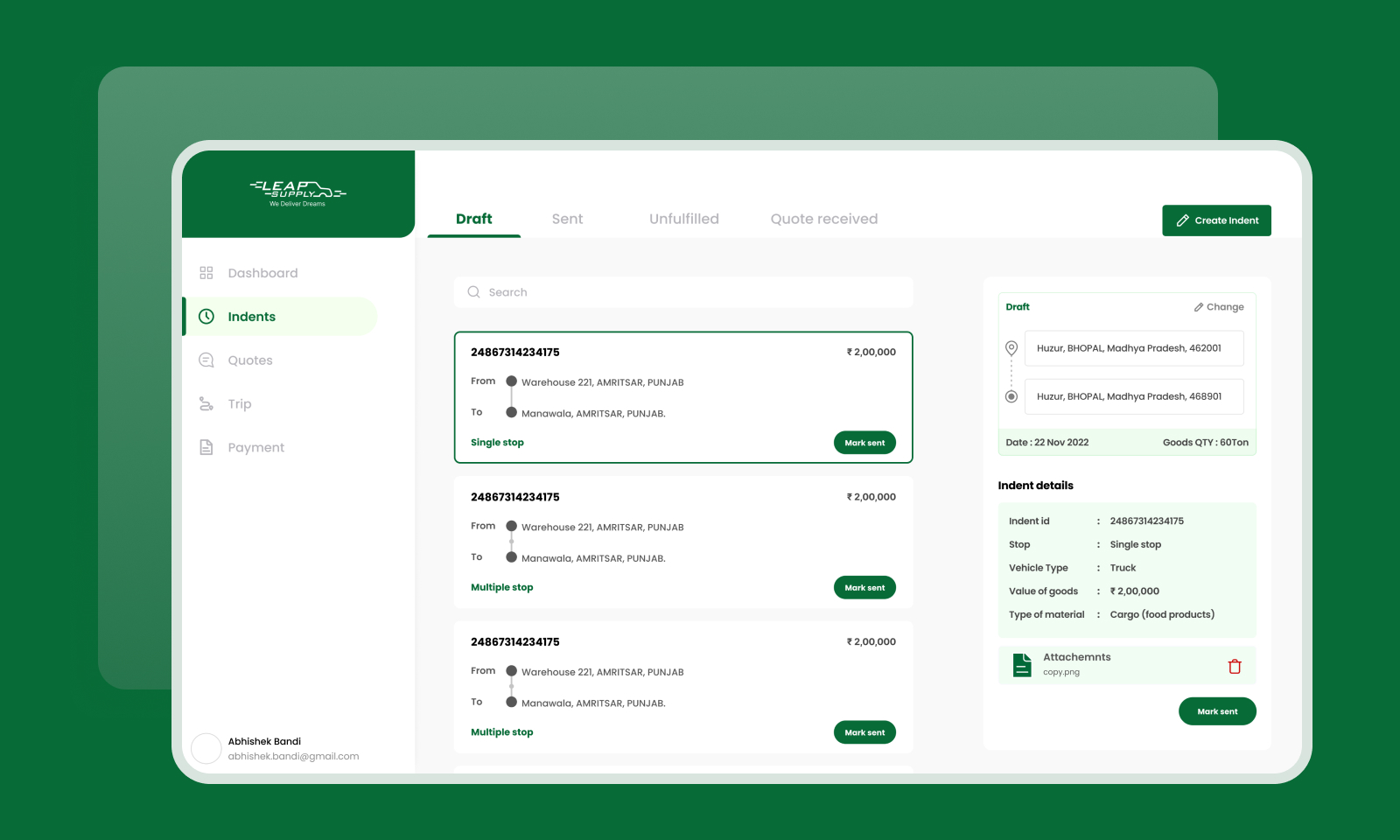
Replacing a fragmented offline process — calls, WhatsApp, emails — with a unified platform for logistics customers to create indents and receive quotations digitally.
Role
UI / UX Design
Timeline
Aug – Sep 2022
Tools
Figma, FigJam, Adobe CC
Platform
Web
01
Context
The feature & the problem
Indent & Quotation was a core feature within a logistics management platform. The platform was built to help logistics managers create trip indents and receive quotations from logistics partners — all in one place.
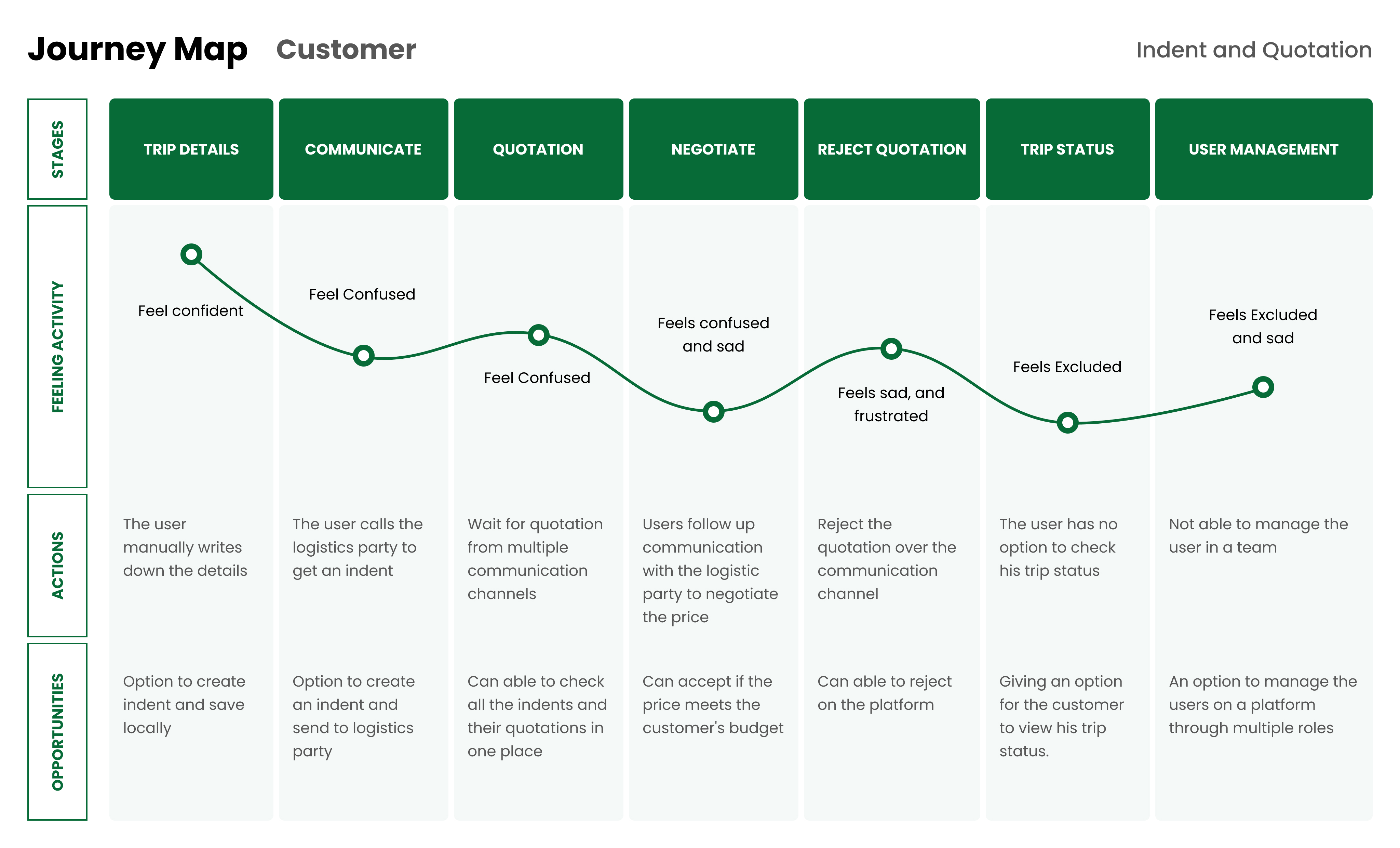
Before this existed, the entire process ran through informal channels — phone calls, WhatsApp messages, and emails. As the customer base grew, this became impossible to manage. Quotations were getting lost, response times were slow, and there was no visibility into trip status once things were in motion.
Managing indents and quotations through calls and messages was unscalable — customers had no single place to request, track, or accept quotations for their trips.
02
My Contribution
What I worked on
I was involved across the full design process — from conducting user research with the logistics team through to delivering production-ready screens and an interactive prototype for the development handoff.
03
Research
Understanding the users
I conducted interviews with both sides of the platform — the logistics managers who raise indents and the logistics partners who respond with quotations. The goal was to understand what each party needed and where the current offline process was breaking down.
- Logistics managers needed a clear place to submit trip requirements and track quotation responses
- Logistics partners needed a way to view incoming indents and send quotations without back-and-forth messages
- Both parties wanted real-time trip status visibility once a quotation was accepted and the trip began
- Sign-in and onboarding needed to be simple — not all users were tech-savvy
04
The Flow
How the feature works
The core of this feature is a two-sided workflow. Both parties interact with the same platform but have different views and responsibilities at each stage.
01
Create Indent
Customer submits trip details — goods, destination, date — as an indent request.
02
Assign Quotation
Logistics partner reviews the indent and responds with a quotation for the trip.
03
Mutual Acceptance
Both parties accept the terms. The trip is confirmed and officially begins.
04
Track Status
Customer gets real-time visibility into trip progress until completion.
05
Design
From wireframes to high fidelity
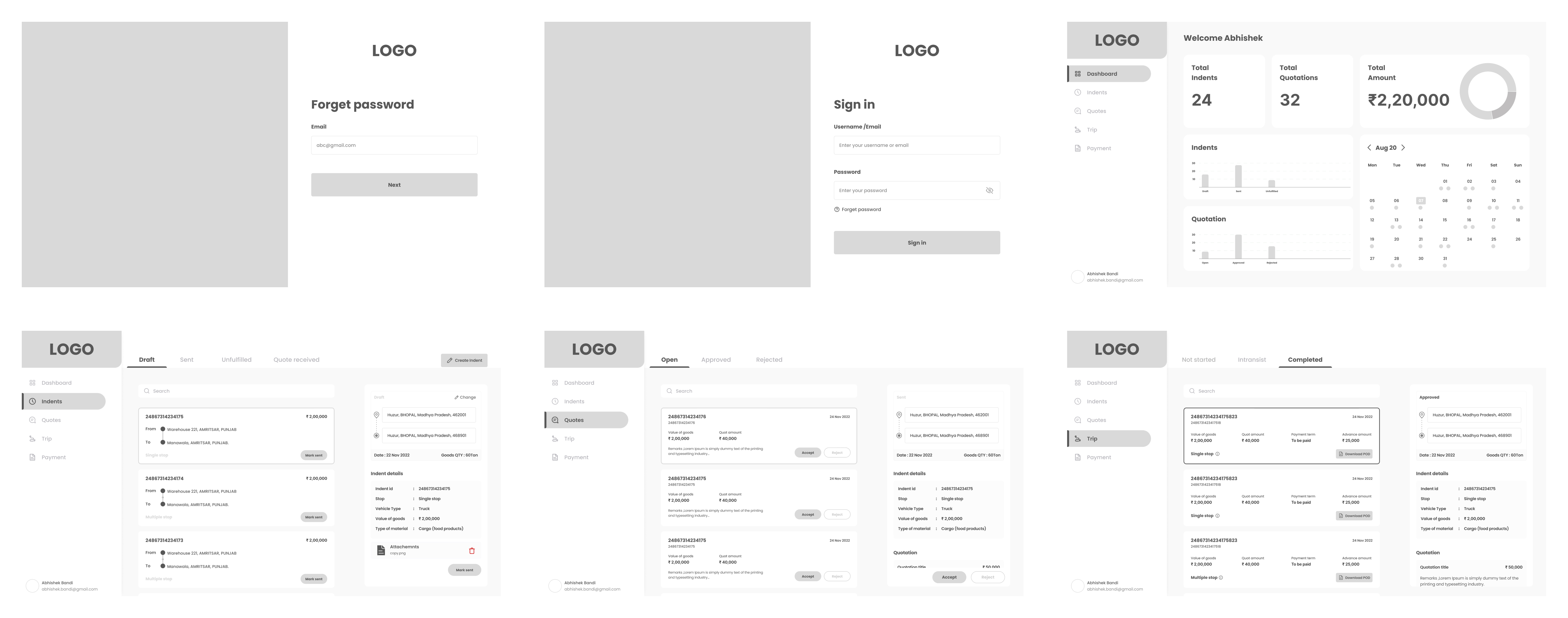
With the user journey mapped out, I moved into design — starting with wireframes to validate the structure and flow, then progressing to high-fidelity screens and a clickable prototype for developer handoff.
Wireframes
Wireframes focused on getting the indent creation form, quotation listing view, and trip status screen right before investing in visual detail.
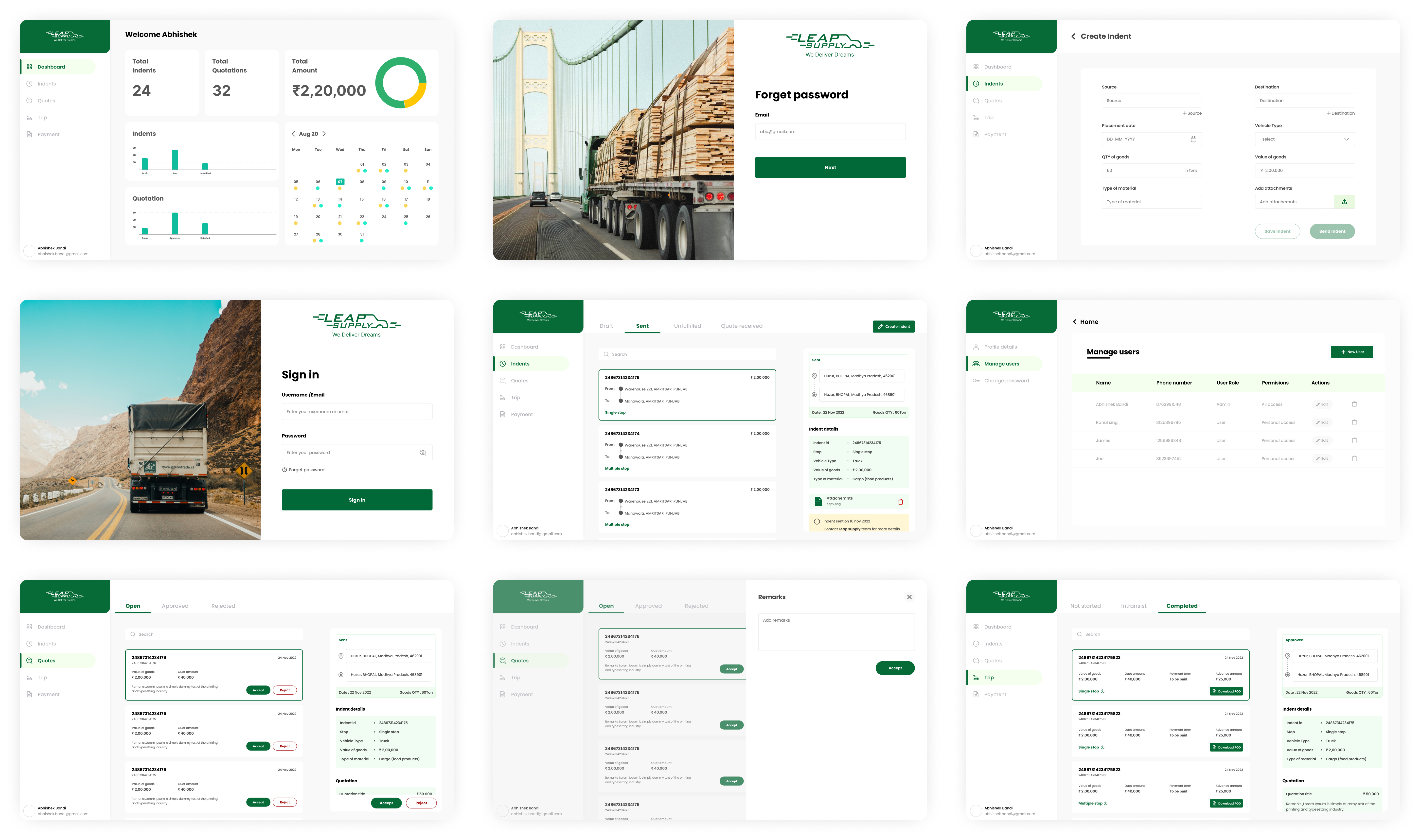
High-Fidelity Designs
The high-fidelity screens covered the full platform — sign-in, indent creation, quotation management, and trip tracking.
Prototype
An interactive prototype was built in Figma to walk through the complete two-sided flow — from a customer creating an indent to a logistics partner accepting and the trip commencing.
06
Outcome
What changed
The platform successfully replaced an unscalable offline process with a structured, digital workflow. Both logistics managers and partners gained a clear, shared space to manage indents and quotations — removing the dependency on calls and messages entirely.
- Sign-in and onboarding flow made accessible to non-technical logistics staff
- Indent creation reduced from a multi-channel back-and-forth to a single structured form
- Quotation management gave both parties a transparent, auditable record of offers and acceptances
- Real-time trip tracking eliminated the need for status check-in calls
Handoff
I worked closely with the development team throughout handoff — annotating interaction states, clarifying edge cases in the two-sided flow, and supporting design QA to ensure the shipped product matched the intended experience.