User Management
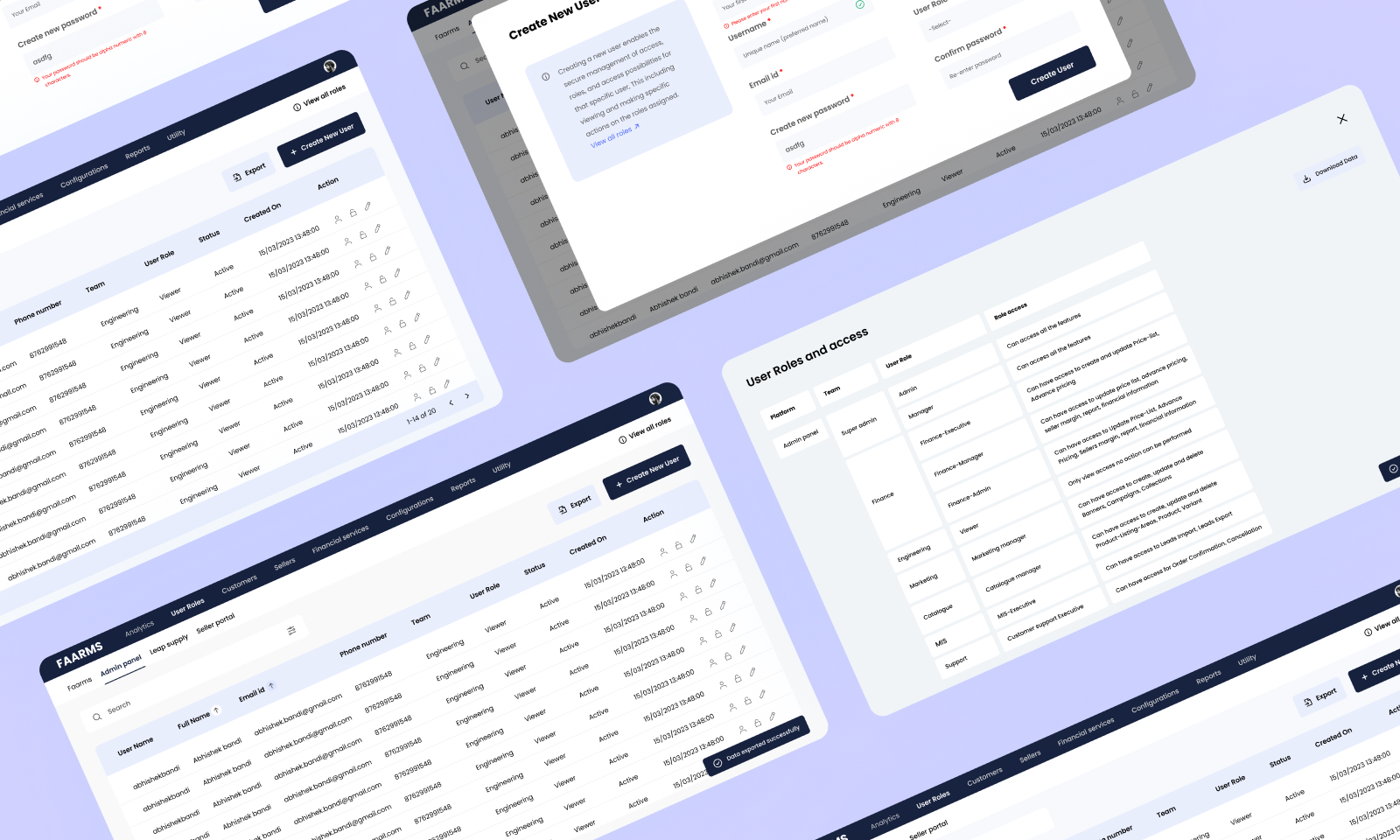
Designing a clean, efficient dashboard for administrators to create users and manage roles — built as a core feature within a larger SaaS platform.
Role
UI / UX Design
Timeline
Oct – Nov 2023
Tools
Figma, FigJam
Platform
Web
01
Context
The feature & the problem
User Management was a core feature within a larger SaaS product. Administrators needed a reliable way to onboard new users, assign them appropriate roles, and control what each person could access — all from a single interface.
The existing experience was fragmented and slow. Admins were spending too much time on repetitive tasks, and there was no clear overview of who had access to what. The goal was to design a dashboard that made these administrative workflows fast, clear, and error-resistant.
Admins lacked a unified view to create users, assign roles, and manage access — leading to inefficiencies and access control errors.
02
My Contribution
What I worked on
I was responsible for the end-to-end design of this feature — from understanding stakeholder requirements through to delivering production-ready UI screens and an interactive prototype for developer handoff.
03
Research
Understanding the landscape
Stakeholder Interviews
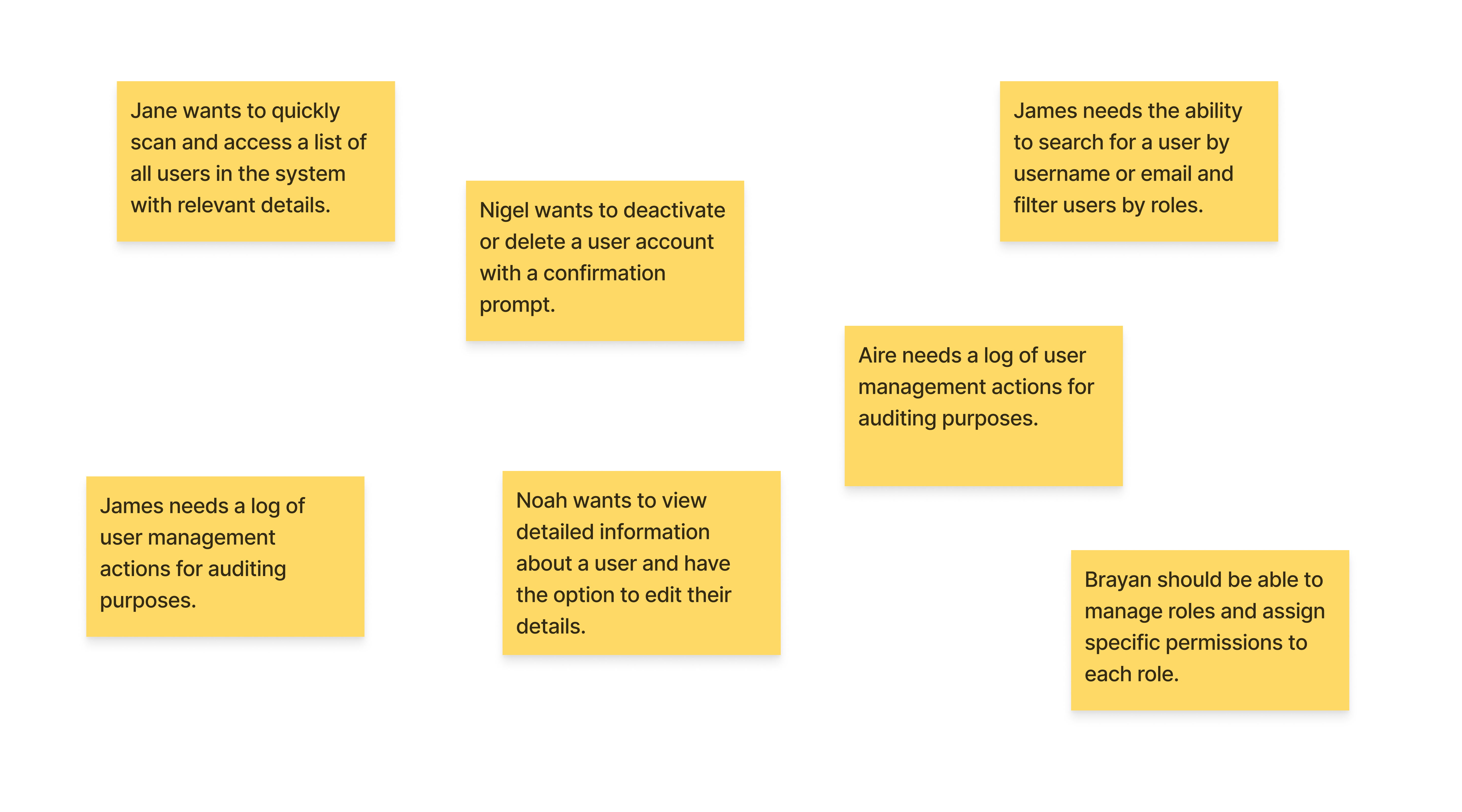
I conducted interviews with system administrators who would be the primary users of this feature. The goal was to understand their day-to-day workflow, what was slowing them down, and what they needed the tool to do well.
- Role assignment needed to be intuitive — permissions were confusing in the existing system
- A searchable, filterable user list was a top priority for larger teams
- Audit visibility — knowing who added whom and when — was a recurring ask
Competitive Analysis
I reviewed user management interfaces across several SaaS tools to identify patterns that work and gaps we could improve on.
- Clean inline editing and role dropdowns reduced friction in onboarding flows
- Permission grouping by module (rather than flat lists) improved comprehension
- Confirmation states and undo actions built trust in destructive actions like deactivation
04
Design
From wireframes to high fidelity
With the research insights mapped out, I moved into design — starting with low-fidelity wireframes to validate structure, then progressing to high-fidelity screens and a clickable prototype.
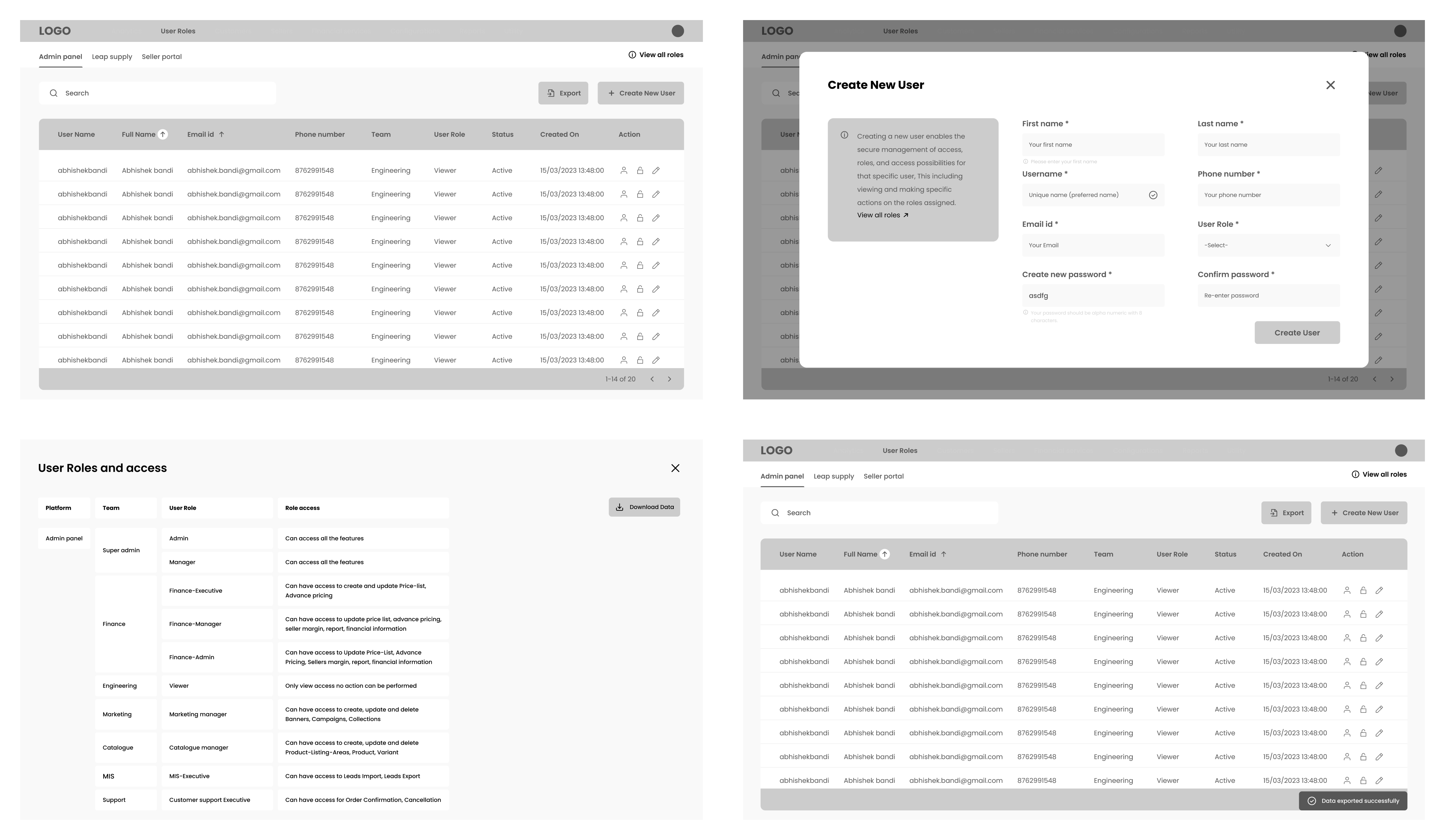
Wireframes
Wireframes helped establish the layout and information hierarchy early — before investing time in visual design. I focused on the user list view, the add user form, and the role assignment panel.
High-Fidelity Designs
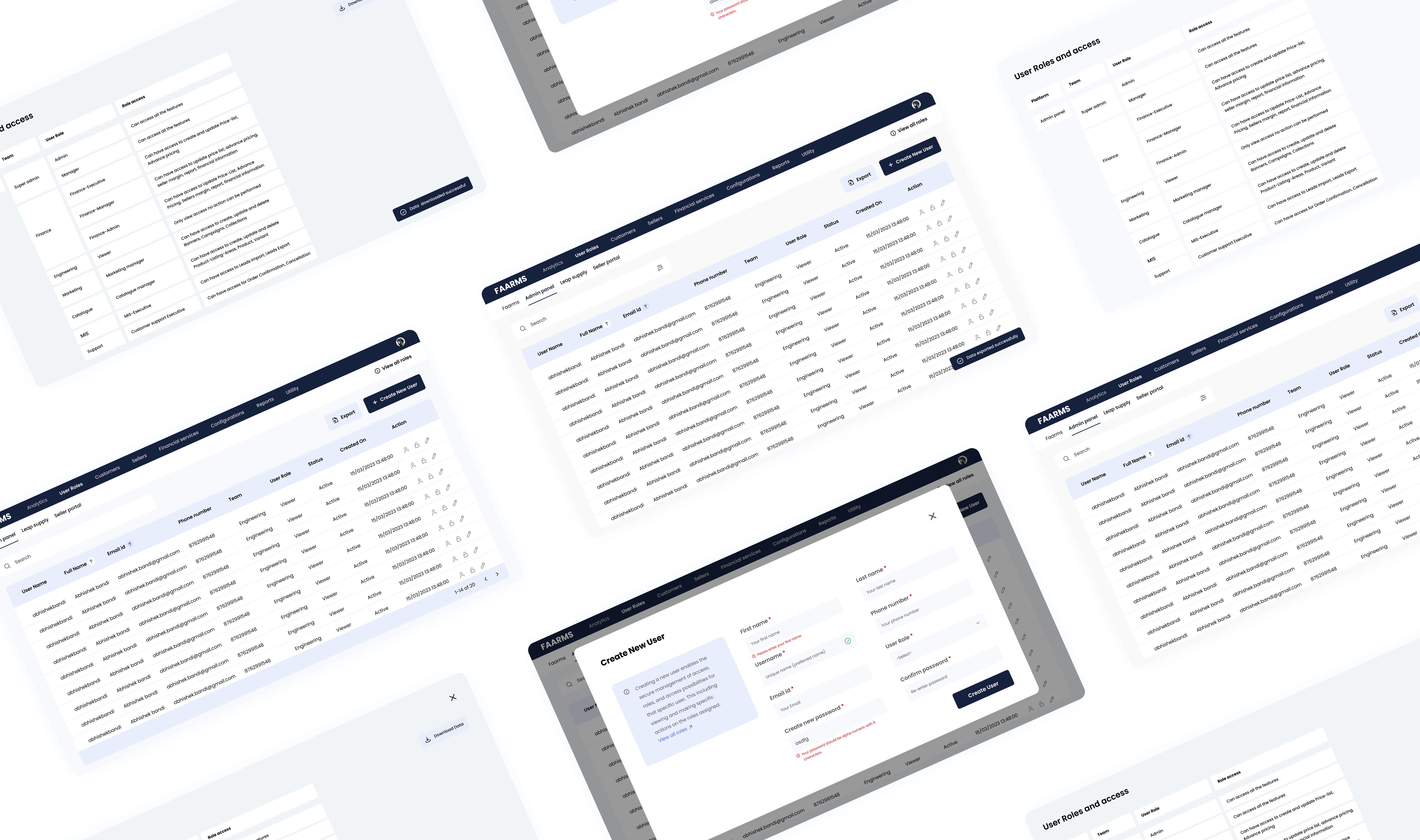
The high-fidelity screens followed the product's existing design system — maintaining visual consistency while introducing new components for the user table, role picker, and permission matrix.
Prototype
I built an interactive prototype in Figma to walk stakeholders and developers through the complete admin flow — from adding a new user to assigning roles and confirming access.
05
Outcome
What changed
After usability testing with a group of administrators, the redesigned feature showed clear improvements in efficiency and confidence — particularly around role assignment and bulk user actions.
20% faster
Reduction in time spent on common admin tasks during usability testing
Higher confidence
Increased positive feedback from administrators on role clarity and navigation
Handoff
I worked closely with the development team during handoff — annotating edge cases, clarifying interaction states, and being available for design QA to ensure the final product matched the intended experience.